Where to Find PS2 BIOS: Safe Sources and Setup Guide
You install PCSX2, open it, and it asks for a BIOS file you don’t have. So you search for where to find ps2 bios and land on a pile of pages that all look a bit shady. That’s normal. The BIOS is the one thing the emulator won’t give you, and a lot of the advice online is vague or just wrong.
This guide covers where the file comes from, which sources make sense, and how to tell a real one from a fake before it touches your PC.
What Is a PS2 BIOS File?
What the File Looks Like
The BIOS is a small piece of software that sat on the PS2’s motherboard. It starts the hardware, handles memory cards and controllers, and loads your game. PCSX2 needs a copy to act like a real console.
On your computer it’s a .bin file of about 4 MB, with a name like scph39001.bin. The “scph” part is just Sony’s model number.
Why PCSX2 Doesn’t Include It
It’s Sony’s code and it’s copyrighted, so the PCSX2 team can’t ship it. You have to bring your own, the same way you bring your own games.
Where Can You Get It?
There are a few ways, and they’re not equal.
| Source | Safe? | Legal position | Effort |
|---|---|---|---|
| Dump it from your own PS2 | Very safe | Clearest option | High (needs the console) |
| Community archive or trusted site | Depends on the site | Gray area, varies by country | Low |
| Random download pages | Often unsafe | Same gray area, plus malware risk | Low |
| Reddit threads | Not a source | Most subreddits ban BIOS links | N/A |
Option 1: Dump It From Your Own Console
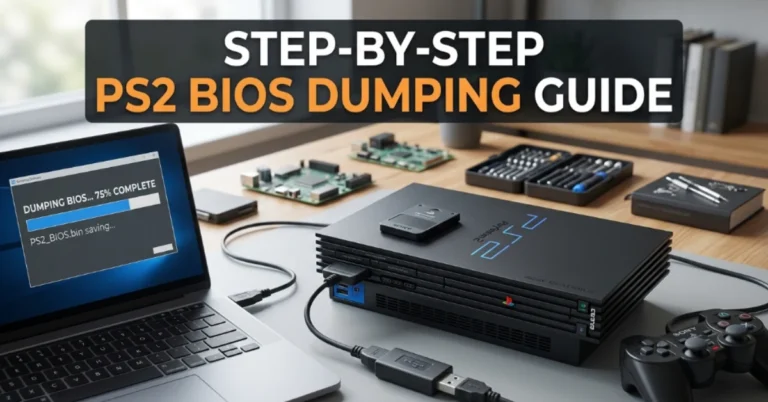
If you still have a PS2, even one with a dead disc drive, this is the best route. You copy the BIOS from the console to a memory card using a small homebrew tool, then move it to your PC.
Emulator developers recommend this because it’s a backup of software from hardware you own. You also know the file is genuine and not corrupted.
Option 2: A Trusted Archive If Your Console Is Gone
Most people are in this spot. The PS2 got sold or broke years ago, and buying one just for a 4 MB file doesn’t make sense.
BIOS files are shared on community archives and download pages. Whether that’s legal depends on your country, and Sony still owns the code. Most people treat it as a gray area, so check your local rules and make the call yourself.
If you go this way, keep it clean. Our PS2 BIOS page has the main regional files and a full pack, as plain .bin files with no installer and no countdown timers.
How to Download It Safely
Checklist Before You Download
Whatever site you use, run through this first:
- The file should be .bin, or a zip with .bin files inside
- A single BIOS is around 4 MB, and a multi-region pack is usually 12 to 15 MB zipped
- No .exe, .msi or .bat files
- No “install our download manager” prompts
- No survey walls, and no page with five fake download buttons
Warning Signs of a Fake File
| What you see | What it probably means |
|---|---|
| File is 300 MB | Not a BIOS |
| Ends in .exe | Malware or adware |
| Needs a “downloader” app | Bundled software |
| PCSX2 doesn’t list it | Corrupted or wrong file |
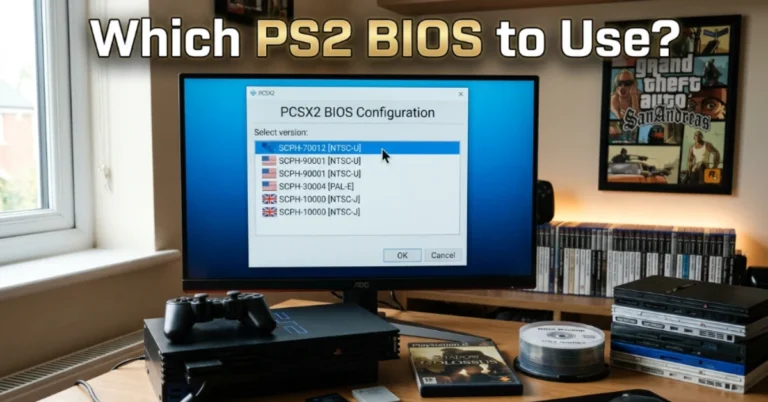
PCSX2 is a good final check. If it reads the file and shows a version in the BIOS list, you’re fine.
Which Version Should You Pick?
For Western games, the USA version is the safe choice. If you mostly play Japanese or European games, a matching regional file works better.
Region mismatches cause the annoying stuff: wrong game speed, stretched video, black screens. When in doubt, match the BIOS to the region printed on your game.
What About Reddit?
Plenty of people look for a link on Reddit. Most emulation subreddits don’t allow that, so you’ll mostly see replies telling you to dump your own.
The threads are still handy for troubleshooting, like which version works best for a particular game. Just don’t click random links in the comments, because that’s where fake files turn up.
Setting It Up in PCSX2
Once you have the file:
- Unzip it with 7-Zip or WinRAR.
- Open PCSX2. Use the first-run wizard, or go to Settings > BIOS.
- Click “Open BIOS Folder.” It’s usually Documents\PCSX2\bios.
- Paste the .bin file straight in. Don’t put it inside another folder.
- Click “Refresh List” and select your BIOS.
If you haven’t installed the emulator yet, our PCSX2 emulator page covers the download and basic setup.
Using It on Other Emulators
The same file can work elsewhere, but the folder rules differ.
Android
You import the file inside the app. See AetherSX2 BIOS for the steps.
RetroArch
The file goes in the system folder. See PS2 BIOS for RetroArch.
Original PlayStation Games
These need a different file. See PSX BIOS.
Common Problems After Getting the File
| Problem | Usual fix |
|---|---|
| “No BIOS found” | Unzip it and keep the .bin directly in the bios folder |
| BIOS missing from the list | Press Refresh List, then re-download if it still doesn’t show |
| Black screen on a game | Try a BIOS that matches the game’s region |
| Crash after the intro | Replace the file, since it’s probably a bad dump |
Frequently Asked Questions (FAQs)
Conclusion
If you only remember one thing, make it this: your own console is the best place to get a BIOS, and a trusted archive is the fallback if yours is gone. Check the file type and size, put it in the right folder, and let PCSX2 confirm it works.